 |
clearString neatComponents
|
|
clearString neatComponents Link Parameters |

| ||
| Application Development | |
Link Parameters | ||
| |
Parameters Tab
The Parameters Tab is context sensitive. When you create a link the Parameters Tab is ordinarily unpopulated
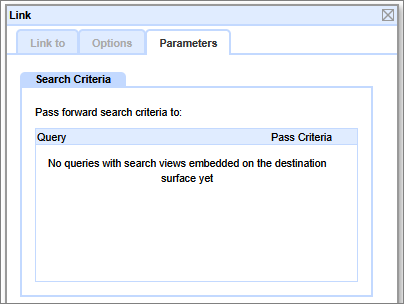
Linking to a Search View
When you link to a page which has a Search View embedded on it then a new options dialog will appear.
.png)
A Search View is a view on a Query output - you will have embedded a Query on a Page and set the Search output to Search View.
.png)
In that scenario then the option will appear to pass Search Criteria from the linked-from page forward to the linked Query.
A use case would be if you are constructing a booking engine and you want to capture the date range a user has selected forward to a later selection page so they do not need to enter it again.
There could be multiple Queries embedded on the linked page. None are 'selected' by default, so it is necessary to set the check-box to suit your requirements.
.png)
Link Parameters in Queries
When you set a link in a Query, as in the Left Click example below...
.png)
...the Parameters Tab will also be populated with the Query Fields to use. This ordinarily functions automatically, but you can manually select which filed you want to use and override the defaut Parameter Name if you wish.
.png)
Copyright © 2026 Enstar Systems Inc. All rights reserved |